 Owl Lattice
Claude
Anthropic · Your accountDeep reasoning and long-form thinking, perched in its own isolated panel. Sign in once with your existing subscription and it stays put.
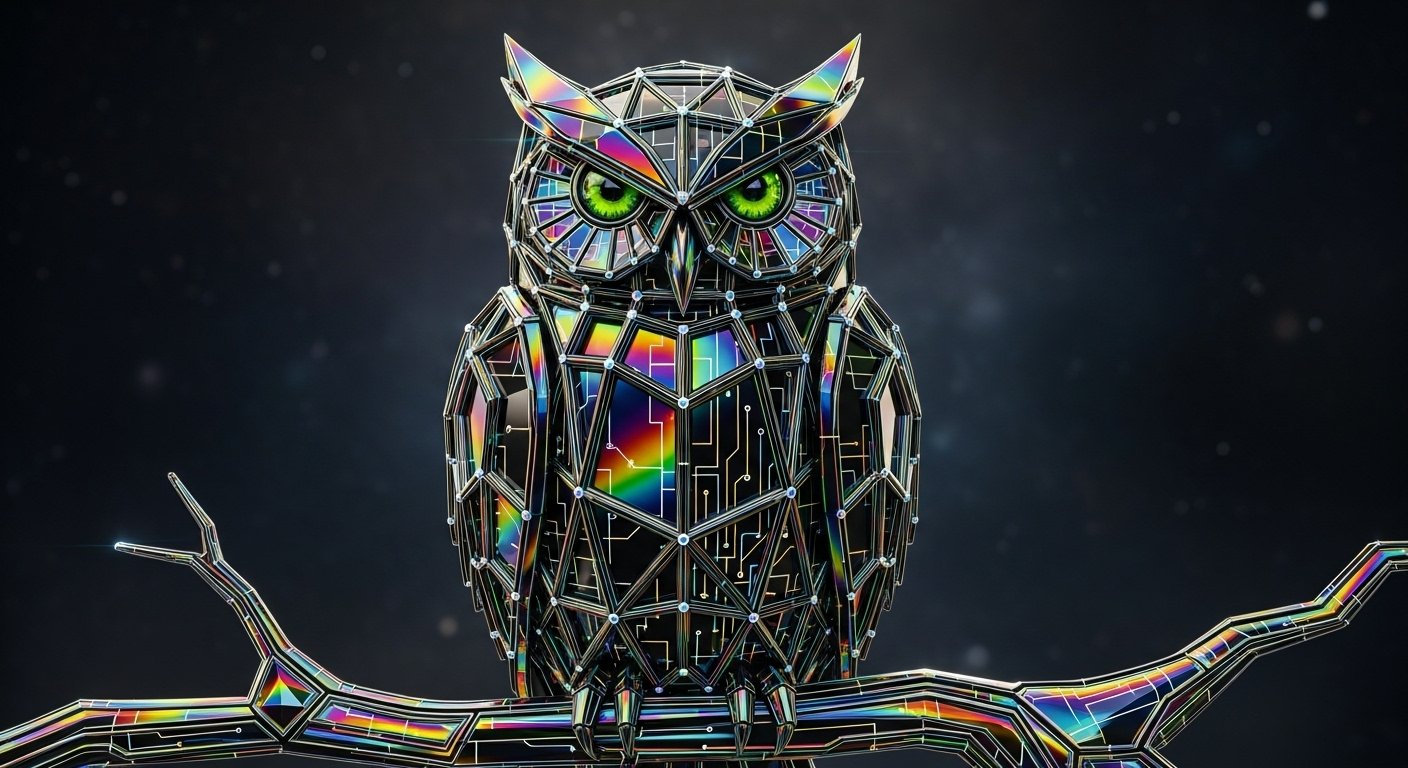
Where thoughts fly.
One window. Three minds. Claude, ChatGPT, and Gemini — side by side on your desktop, with your own subscriptions. No API keys. No middleman. No autopilot.
Windows 10 & 11 One-time license No API keys Your accounts
The Cockpit · Live Session
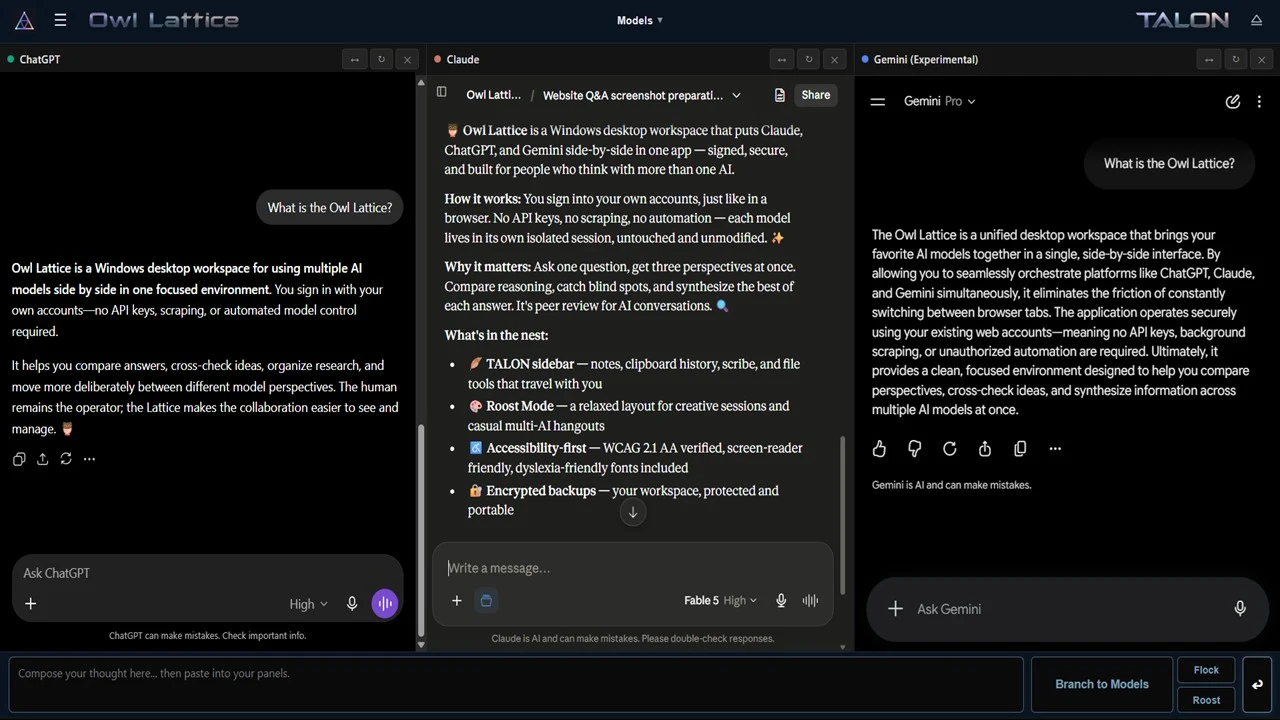
This is a real Waclaw session — one prompt, "What is the Owl Lattice?", asked to all three models. ChatGPT frames the operator. Claude inventories the nest. Gemini pitches the orchestration. The Owl doesn't blend them into one synthetic summary; the seams stay visible so you can compare what each mind remembered, inferred, or missed. The divergence is the information.
The Owl composes.
The human delivers.
The Nest
Ask the same question from three angles and watch the answers refract. Different models see different colors in the same problem — the Lattice puts them side by side so you can triangulate.
Deep reasoning and long-form thinking, perched in its own isolated panel. Sign in once with your existing subscription and it stays put.
Fast iteration and a second perspective, one pane over. Same conversation, different bird — compare answers without juggling browser tabs.
A third angle on the prism, available as an optional experimental panel for when you want the full triangulation.
Bring your own subscriptions. The Lattice never resells access, never proxies your traffic through our servers, and never touches an API key. Your accounts, your conversations, your machine.
Clean Hands Architecture
Most "AI browser" tools reach into the page and pull the strings. The Owl doesn't. Every panel is a real, untouched session — the same as if you opened the site yourself. You type. You send. You decide.
In the Cockpit
Capture session breadcrumbs as clean markdown handoffs — pick up tomorrow exactly where your thinking left off today.
Full backup and restore of your nest. Your workspace, your settings, your history — portable and recoverable.
This action wipes every session clean. When you want a fresh start, you get a real one — no lingering cookies, no residue.
Screen-reader friendly, keyboard navigable, and audited against WCAG 2.1 AA — with many AAA criteria exceeded, including 7:1+ enhanced contrast and dyslexia-friendly font options. Cognitive tools should be usable by every mind.
A real desktop app for Windows. No browser extension fragility, no tab sprawl — one window built for the work.
Buy it once, own it. No subscription to the Owl itself — the only accounts you pay for are the ones you already have.
TALON Sidebar
Every workspace needs somewhere to put things. TALON is the Owl's local toolkit — riding shotgun beside the panels, holding your notes, clips, exports, files, and backups. Everything it keeps lives on your machine, not ours.
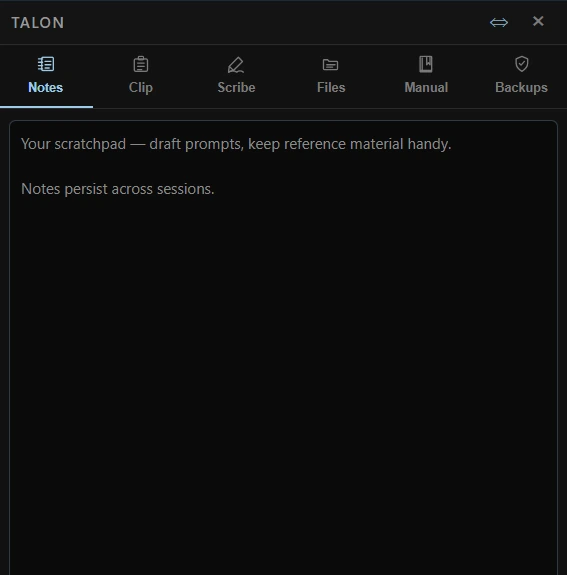
A persistent local scratchpad for prompts, decisions, and reference material — it survives across sessions and travels with your backups.
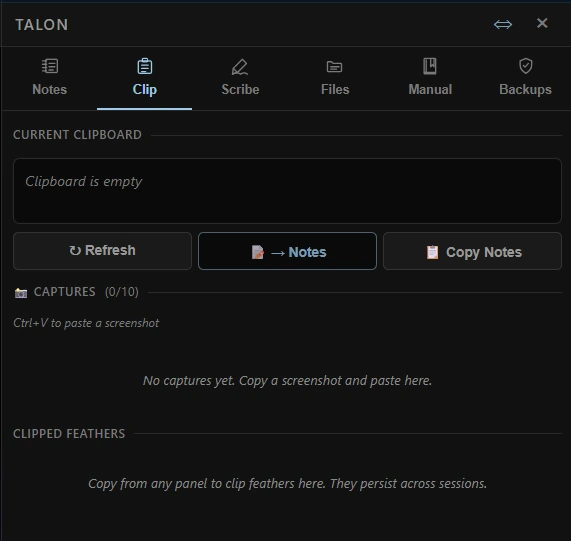
Grab clipboard text and screenshots as you work. The Clipped Feathers history holds your last twenty grabs, and the keepers promote straight into Notes.
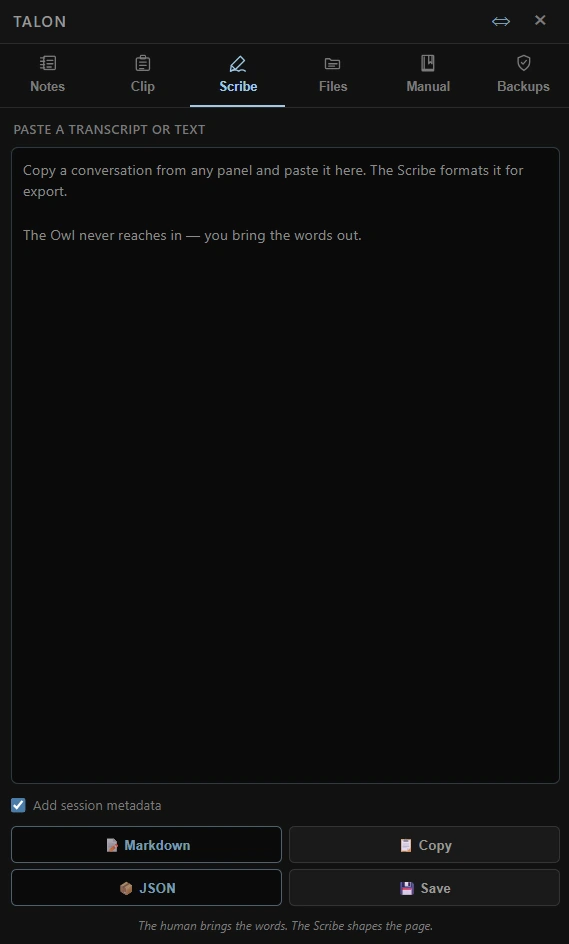
Pull text out of any panel and shape it for its next life — Markdown, JSON, copy, or straight to a file on disk.
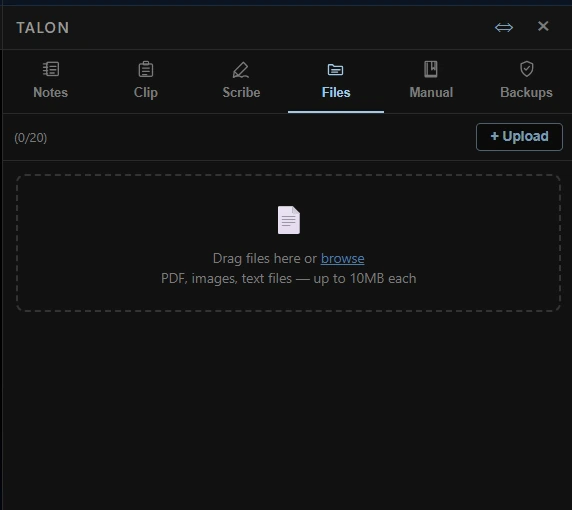
Keep PDFs, images, and text files perched beside the work — instead of buried inside one model's conversation.
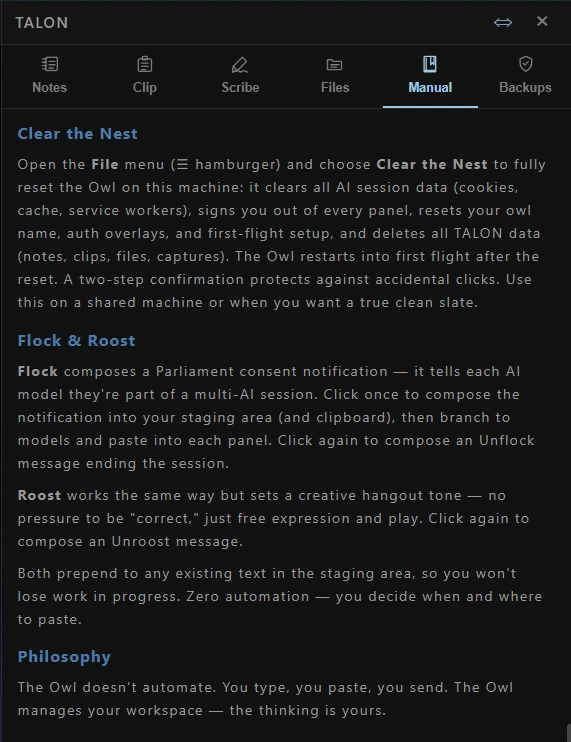
The built-in field guide: layouts, keyboard shortcuts, Clear the Nest, and how to fly Flock and Roost.
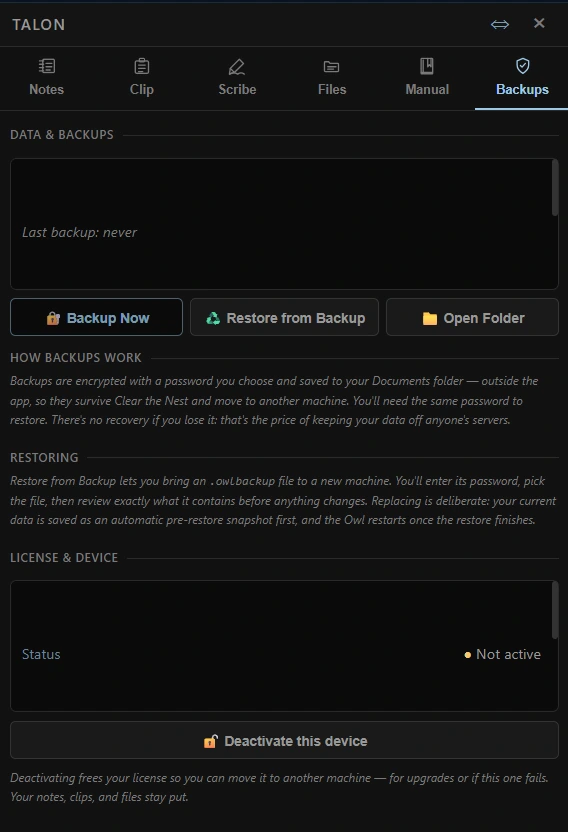
Password-encrypted local backups with review-before-restore — plus Deactivate this device, so your license moves when your machine does.
Accessibility Is Infrastructure
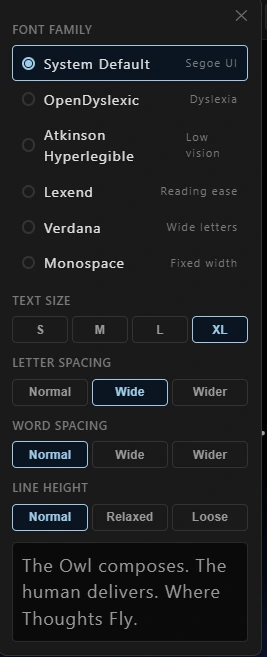
A cognitive workspace shouldn't demand one narrow way of seeing or navigating. The Owl ships reading settings and keyboard-first controls as infrastructure — not as an afterthought buried three menus deep.
Who It's For
Compare interpretations, identify gaps, preserve useful passages, and keep the research process visible.
Review plans, code, policies, and product decisions across models with different strengths and account histories.
Replace tab-sprawl with a deliberate workstation that keeps the models distinct and the human in control.
Best fit: people who already use more than one AI account and know the models are not interchangeable.
Waclaw Edition
Owl Lattice · Waclaw
$99 USD
No subscription to the Owl itself. Use the AI accounts and plans you already choose to maintain.
Buy WaclawOne license may be active on one device at a time. AI subscriptions and usage limits are set by their respective providers and are not included.
Custom Owling
The Lattice you can buy is the Lattice we fly. But some teams need something shaped to their work — a custom panel arrangement, a different set of tools, a workspace built around one very specific workflow. Custom builds are commissioned work: scoped together, purpose-built, and guided by the same clean-hands design standard.
Field Guide · FAQ
Straight answers about what the Owl is, what it never does, and what you're actually buying.
Owl Lattice is a Windows desktop cockpit for working with Claude, ChatGPT, and Gemini side-by-side. The Owl composes. The human delivers.
No. Owl does not generate AI responses itself. It is a workspace for the AI subscriptions and accounts you already use.
No. The core Owl Lattice app does not require API keys. You sign into your existing AI accounts the same way you would in a browser.
Owl Lattice is built for Windows 10 and 11. Mac and Linux are not currently supported.
Ask one model and you get an answer. Ask three and you get perspective. Cognitive triangulation means putting the same problem to multiple AIs, then comparing where they agree, where they split, and why. Waclaw makes that workflow easier: three panels, one conductor — you.
No software can guarantee how a third-party provider will enforce its own terms.
Owl is designed for clean-hands use: no automation, no scraping, no injected scripts, and no behind-the-scenes posting. You type and submit your own messages in the official web interfaces, and you remain responsible for following each provider's terms.
No. You are the conductor. That is the whole point.
No. Owl does not inject code into AI websites, scrape your conversations, or modify your chats. Each panel loads the real web interface for the service you choose to use.
Your Owl workspace data lives on your machine. Owl does not run a ZGX cloud workspace, sync your chats to our servers, or send us telemetry. Licensing and update checks may contact the services needed to verify your purchase and notify you about signed releases.
Yes. TALON backups are encrypted, password-protected local files that you control.
There is no recovery backdoor. Locked means locked — that is the clean-hands trade-off.
$99, one time. You receive a one-time desktop software license — no subscription, no renewals, no seat fees.
One license may be active on one device at a time.
Contact support and we can help move your activation. Self-serve deactivation is planned for a future release, but it is not available yet.
You need internet access to reach the AI services you use inside Owl. The app license includes a 30-day offline grace period for activation checks.
Purchases are processed by Lemon Squeezy, our merchant of record. Refund requests are handled through the purchase channel and subject to the refund terms shown at checkout.
Owl Lattice releases are signed under ZGX Collective LLC using Azure Trusted Signing and RFC-3161 timestamping. You should only install Owl from official ZGX Collective download links.
Owl Post notifies you in-app when an update is available. You choose when to download and install the signed build. No silent auto-updates.
Accessibility is a launch requirement, not an afterthought: keyboard navigation, semantic UI, zero axe-core violations against WCAG 2.1 AA, and NVDA screen-reader walkthrough testing before release.
Custom Owling refers to bespoke builds, workflow design, and consulting for teams with specific needs. Availability is limited and handled separately from the standard Owl Lattice desktop license.
Waclaw is named for Wacław Sierpiński — the Polish mathematician behind the Sierpiński triangle, and yes: a man with CLAW in his name.
The name wasn't brainstormed; it surfaced. While three separate AIs were helping refine Owl Lattice, the triangle geometry in the branding was recognized mid-session as Sierpiński's — the product's own method, cognitive triangulation, revealed the name. Say it: "wa-claw."